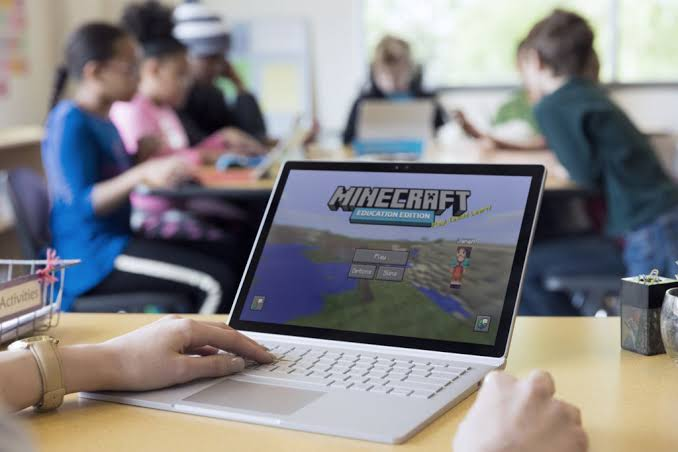

Minecraft Education for teachers is an innovative teaching platform that transforms traditional lessons into engaging, hands-on learning experiences. Instead of relying only on lectures and textbooks, educators can use interactive virtual worlds to teach subjects such as science, mathematics, history, geography, language arts, and computer science. The platform encourages collaboration, creativity, and critical thinking while keeping students actively involved in every lesson. Whether you are new to educational technology or an experienced educator, learning how to use Minecraft Education effectively can help improve student participation and classroom outcomes.
What is Minecraft Education for Teachers?
Minecraft Education for teachers is a classroom-focused version of Minecraft designed to support learning through exploration, collaboration, and project-based activities. It includes educator tools, lesson libraries, classroom management features, coding activities, and assessment options.
Teachers can create customized learning environments, monitor student progress, and encourage teamwork through interactive educational challenges. The platform supports different grade levels and subjects, making it flexible for various teaching needs.
Why is Minecraft Education for Teachers Important?
Modern classrooms benefit from interactive learning methods that encourage students to participate instead of simply memorizing information. Minecraft Education helps teachers create meaningful learning experiences that improve engagement and knowledge retention.
For example, science teachers can demonstrate ecosystems through virtual environments, while history teachers can guide students in rebuilding famous historical landmarks. These activities make complex concepts easier to understand and remember.
Step-by-Step Guide
1. Create an Educational Account
Ensure you have access through your school or educational organization before using the platform.
2. Install the Application
Download and install Minecraft Education on a compatible Windows, macOS, Chromebook, or supported mobile device.
3. Explore the Lesson Library
Review ready-made lessons organized by subject, grade level, and learning objectives before planning classroom activities.
4. Create Your Classroom World
Build a custom learning environment or modify existing educational worlds to match your lesson goals.
5. Guide and Assess Students
Invite students into the virtual classroom, monitor collaboration, assign projects, and evaluate learning through completed activities.
Benefits
Using Minecraft Education for teachers offers many educational advantages:
- Increases student engagement and motivation.
- Encourages teamwork and communication.
- Supports project-based learning.
- Develops creativity and problem-solving skills.
- Includes coding and digital literacy activities.
- Provides ready-made lesson resources across multiple subjects.
Risks or Disadvantages
Although the platform is highly beneficial, teachers should consider several limitations:
- Requires compatible devices and adequate system performance.
- Some features depend on reliable internet access.
- Initial setup may require planning and preparation.
- New users may need training before teaching effectively.
- Classroom management remains essential during collaborative sessions.
Common Mistakes to Avoid
Many teachers begin with overly complex activities that overwhelm students. Start with simple lessons before introducing advanced projects. Always test classroom worlds before a lesson to avoid technical issues. Set clear learning objectives instead of focusing only on gameplay. Encourage collaboration while establishing classroom rules to maintain productive learning. Regularly save classroom worlds and keep the application updated for the best performance.
FAQs
Q1. Can teachers create custom lessons?
Yes. Teachers can design personalized learning activities that match classroom objectives.
Q2. Which subjects are supported?
The platform supports science, mathematics, history, geography, language arts, coding, and many other subjects.
Q3. Is multiplayer available?
Yes. Students can collaborate in shared classroom worlds under teacher supervision.
Q4. Do teachers need gaming experience?
No. Beginners can learn the platform through tutorials and practice.
Q5. Can student progress be monitored?
Yes. Teachers can observe participation, review projects, and assess learning outcomes during classroom activities.
Expert Tips
To maximize Minecraft Education for teachers, begin with small classroom projects that align with your curriculum. Introduce students to the controls before assigning larger activities. Encourage teamwork by assigning roles within each group project. Use reflection sessions after every lesson to discuss what students learned and how they solved challenges. Keep lesson objectives clear, provide step-by-step instructions, and regularly explore new educational content to keep classroom experiences fresh and engaging.
Conclusion
Minecraft Education for teachers offers an effective way to combine education with creativity, collaboration, and technology. By transforming lessons into interactive experiences, educators can help students develop academic knowledge alongside valuable skills such as communication, critical thinking, and problem-solving. The platform supports a wide range of subjects and provides flexible teaching tools for classrooms of different sizes. With thoughtful planning, clear objectives, and regular practice, teachers can confidently use Minecraft Education to create memorable learning experiences that inspire curiosity, improve engagement, and support long-term academic success.